

Agi-container
AGI Container is a key component of the ActionTestScript (ATS) ecosystem, designed for massively parallel, cross-platform execution of automated tests.
What is AGI Container?
It is a lightweight container runtime, specifically optimized for running ATS scripts. Unlike traditional solutions, which often rely on Docker Desktop (which can be resource-intensive or require a paid license in enterprise settings), agi-container is based on:
- containerd : The industry-standard container engine.
- nerdctl : A command line interface for containerd.
Usually, when you create a test in Agilitest, you open a channel that launches a browser in your own Windows session.
With AGI Container, the editor shifts to a new paradigm: Instead of searching for a chrome.exe executable on your hard drive, the editor asks nerdctl to mount a Docker/Containerd image. Communication no longer occurs directly, but via a network stream to the container.
Principal functionalities:
- Maximum Parallel Execution: This feature allows you to execute entire test suites simultaneously, thereby drastically reducing the total validation time (the “Time to Feedback”).
- Linux & Windows hybrid: That is one of its greatest strengths. It can simultaneously control:
- Linux containers (via WSL2 on Windows or natively on Linux) for testing browsers like Chrome or Firefox in “headless” mode.
- Windows containers (using Hyper-V isolation) for applications that require a specific Windows environment.
- Docker Desktop is standalone: It operates independently, making it easy to integrate into enterprise CI/CD pipelines.
How to activate agi-container?
In the editor sidebar, select “Agilitest Containers”
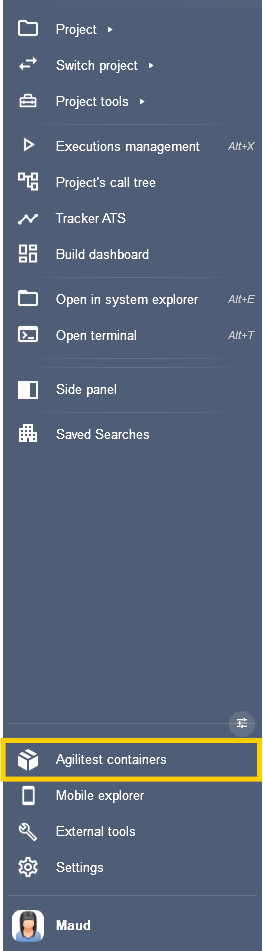
This opens the Agilitest containers execution menu.
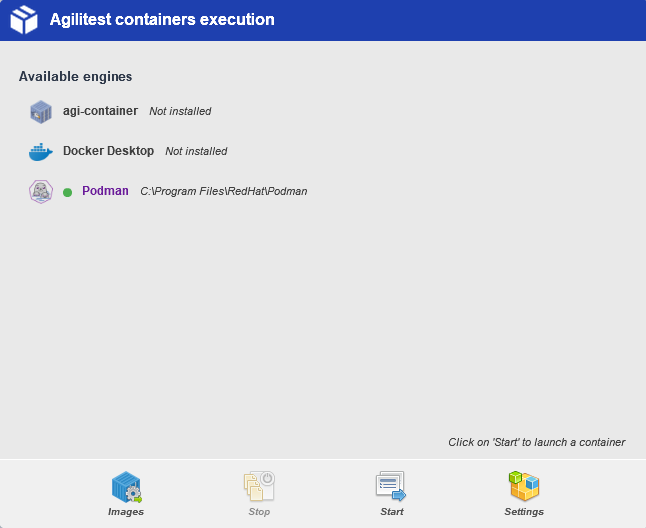
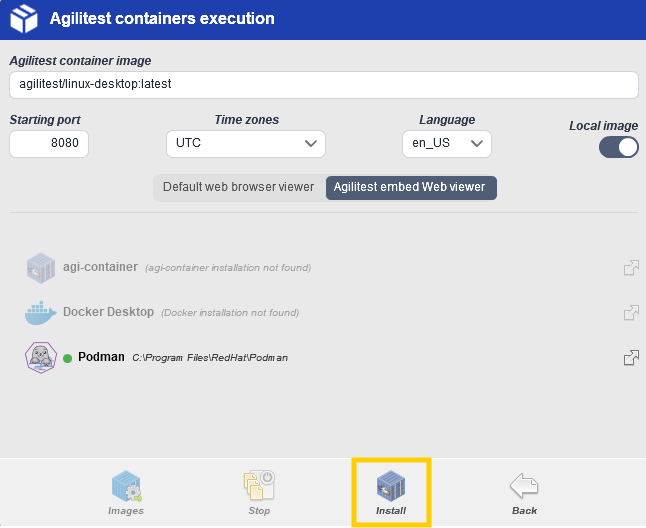
Click on the “settings” button at the bottom right to install “agi-container”.
Then, click on “Install”.
You can choose between automatic and manual installation:
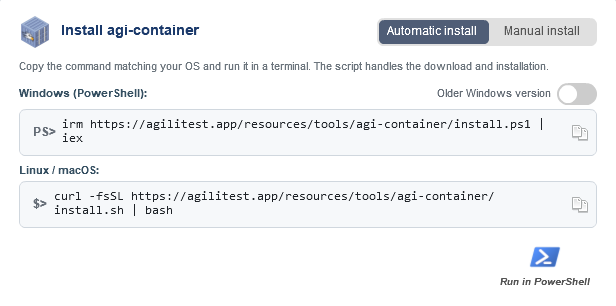
Click “Execute in PowerShell” or copy the command line depending on whether you’re using Windows or Linux, then paste it into a terminal.
Once Agi-container is installed, you can select your tests to execute them directly from the container.
From the editor's execution management menu, select the “Execute in Container” tab.
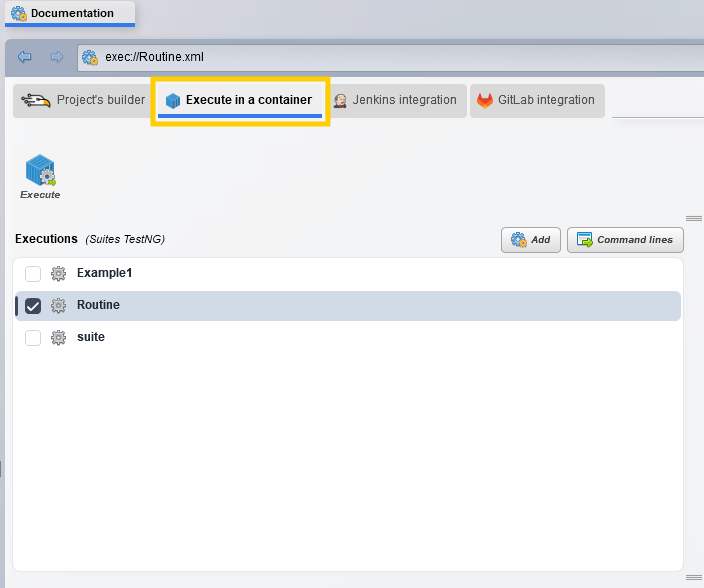
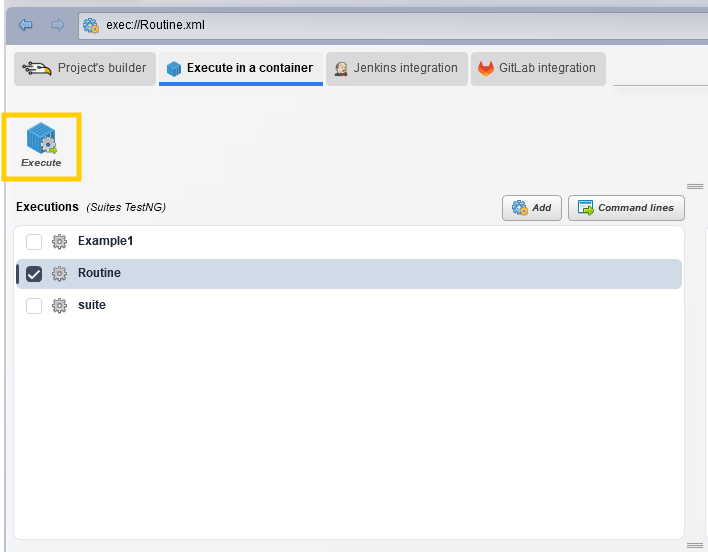
Select the Playlists (TestNG suites) that you want to execute, then click on “Execute”
Select on which container you want to execute your Playlists.
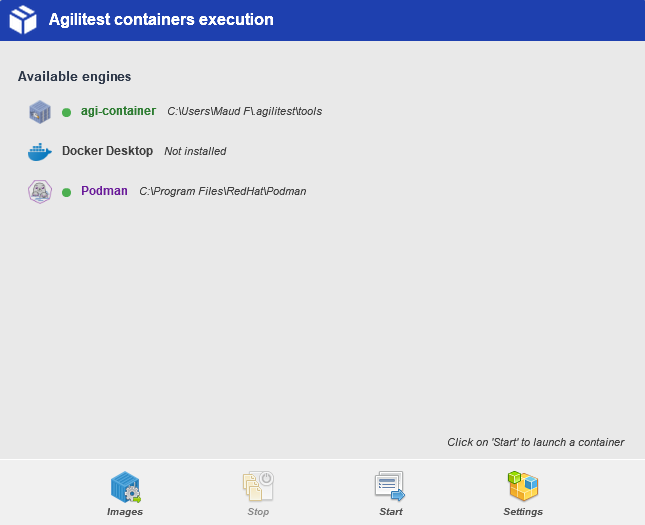
The editor uses predefined images (often hosted by Agilitest or your company) that already contain everything needed: the ATS engine, the browser, and the drivers (Selenium/Playwright).
Why use it?
Agi Container acts as the “conductor” that helps you transition from a test running on your desktop to a test running in an isolated environment, ready for the cloud or CI/CD.
Using Agi Container addresses three critical needs:
- Speed: Reduce testing time from several hours to just a few minutes through parallel processing.
- Isolation: Each test runs in its own environment, preventing cross-contamination between browser sessions.
- Portability: You can execute the same containers on your development machine, on a build server, or in the cloud.
Scripts parallelization
Unlike traditional sequential execution, agi-container allows you to execute multiple instances of your tests simultaneously. The approach involves dividing your test campaign into several isolated containers.
The key feature is the ability to use a project environment variable as a pivot for parallelization.
The tool will automatically instantiate a container based on the specified value.
In Agilitest, open the command lines interface with a right click on a script
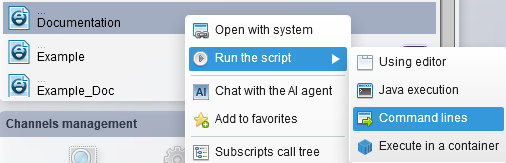
There, you have specific options to configure your execution:
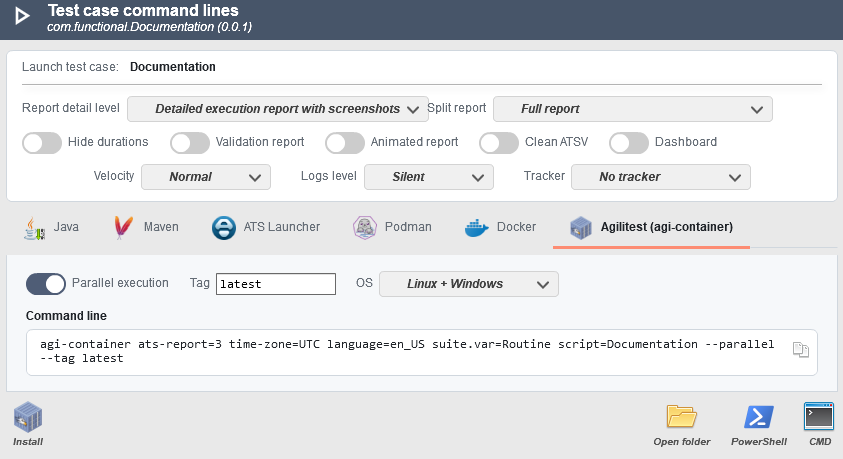
- Click on the Agilitest (agi-container) window
- Activate the “Parallel execution” option: This will activate the execution of a suite of tests per container..
- Enter the “Tag”
In short, Agi-Container is the scaling tool for the ATS framework, transforming a single script into a powerful tool capable of validating complex applications across multiple environments in record time.
The Diagnostic Window
When a test runs in the agi-container, the logs are no longer simply stored in RAM, where they risk being lost if the container crashes. Instead, they are continuously streamed to the host machine’s disk. Even if the execution is terminated (SIGTERM), you retain the logs to diagnose the failure.
Click on the “Diagnostic” button to open the window.
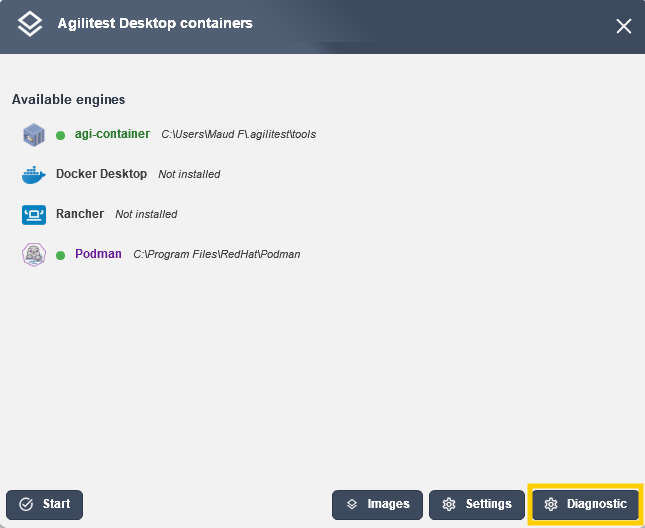
The ATS engine now features an “Assisted Diagnostics” mechanism that helps identify the source of the failure. During the analysis, the tool cross-references the data to tell you whether the error stems from:
- A performance issue (page timeout, infinite loading),
- A network error,
- Or an actual functional bug (DOM selector not found).
From this window you have access to a dashboard for agi-container:
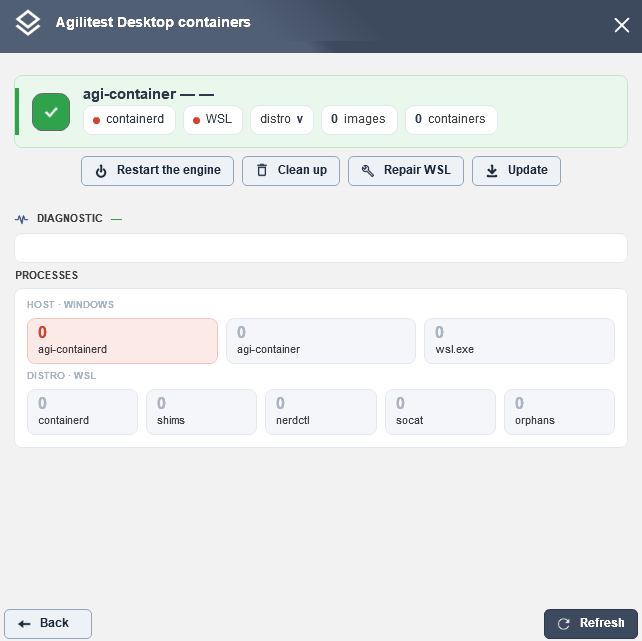
With maintenance buttons:
- Restart the engine: Attempts to restart the containerd services and the Agilitest agent directly.
- Clean: Removes temporary containers, caches, or orphaned files that might be blocking execution.
- Repair WSL: Forces a restart or resets the underlying WSL distribution.
- Update: Downloads and installs the latest version of Agilitest’s container components.
The “Processes” section displays the health of software components in real time:
- Host (Windows):
agi-containerd&agi-container: The Windows background services that handle orchestration.wsl.exe: The bridge between Windows and the containerized environment.
- Distro WSL (Linux):
containerd: The container runtime.nerdctl: The command-line tool used to manage containers (equivalent to the Docker CLI).shims, socat, orphelins: Agilitest's network and isolation processes.
The status line (at the bottom of the page):
- distro v: Displays the version of the installed WSL distribution.
- images: Number of container images (e.g., Chrome, Firefox, etc.) loaded into memory.
- containers: Number of containers currently running for your tests.


