

Property action
What is the Property Action?
The Property action is used to retrieve the value of an attribute or property from a captured graphical element and store it in a variable. Unlike a validation (assertion), this action does not stop the test if the value is unexpected; its sole purpose is to "read" the information.
In your script, select the property action in the actions menu.
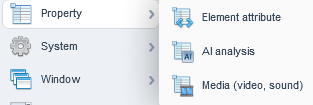
Element attribute
It is used to extract a specific characteristic from an interface element (whether on the web, in a desktop application, or in a mobile app).It reads the underlying code (such as the DOM in HTML or the component tree in native code) and retrieves the exact value of a targeted attribute.
When adding a "Property" action to a captured element, you must configure two main components:
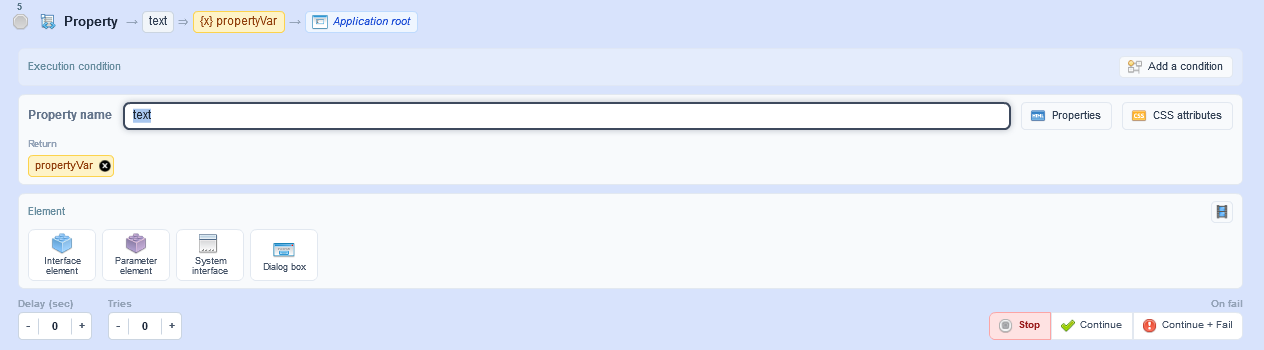
- Property Name: The specific attribute you want to read.
- Web: id, class, href, src, value, placeholder, etc.
- Calculated Properties: Agilitest also allows you to retrieve properties like text (visible text) or checked (for checkboxes).
- Element: Interface element, parameter element, system interface, dialog box
AI Analysis
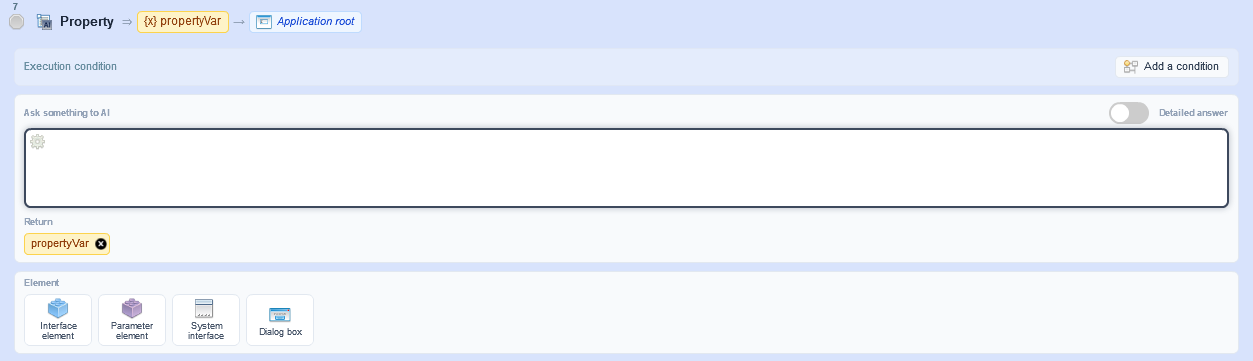
This is a modern feature built into ATS to overcome the limitations of traditional technical retrieval. It uses an AI model (via the AI providers you can configure in your project, such as OpenAI models or Anthropic's Claude).
Au lieu de récupérer un attribut technique préexistant, le script transmet l'élément ciblé (généralement via une capture visuelle de cet élément) à une IA, accompagnée d'un prompt (une question/consigne). L'IA analyse l'image ou le contexte et retourne sa réponse sous forme de texte qui sera stocké dans votre variable.
Instead of retrieving a preexisting technical attribute, the script sends the targeted element (usually via a screenshot of that element) to an AI, along with a prompt (a question or instruction).
The AI analyzes the image or context and returns its response as text, which will be stored in your variable.
Examples:
Read handwritten text in a scanned PDF document (advanced OCR), verify the content of a highly complex component (such as an HTML5 Canvas where elements do not exist in the DOM), or validate that an image semantically matches the expected product.
The property-media action
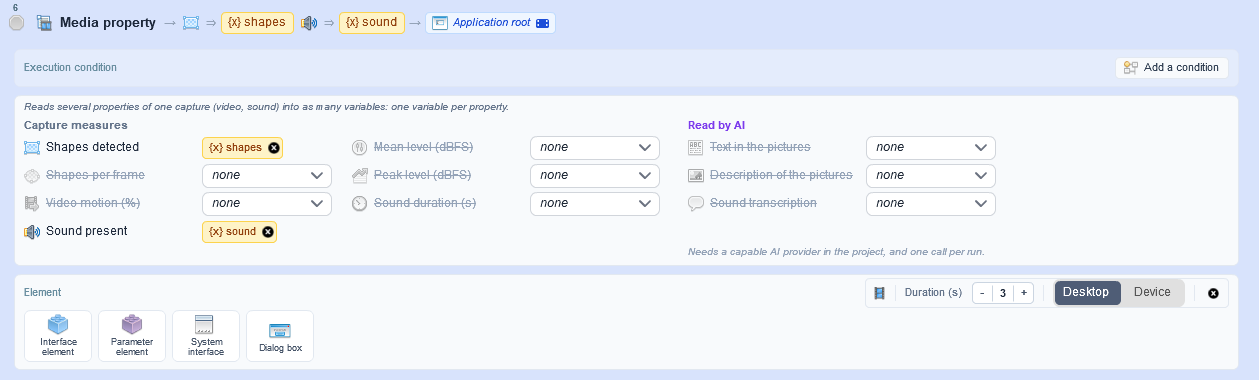
The properties fall into two groups:
- Capture measures (shapes, motion, sound)
- Read by AI
Each property is paired with the variable that receives its value. You can drag a variable from the variables panel onto a property, or move it from one property to another.
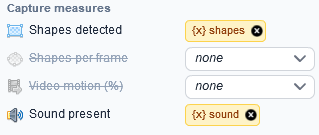
After an execution, the result is shown property by property, with the AI model used, and an error appears on the line of the property concerned.
Property-media reads several properties of a record capture in a single action and puts each one in its variable.
Example:
“property-media -> shapes-count,audio-has-sound,audio-rms-db => count,sound,level -> @RECORD […]”.
All values come from the same recording, instead of one capture per check-property.
The editor receives each variable's value separately.
The video-motion, measures without AI the proportion of frames that change from one frame to the next.
If the capture tool cannot provide a property, the action fails instead of leaving a variable empty. A badly written line fails right away, before the capture, with an indication in what to fix.
In the report, the action has its own tile: motion gauge, sound levels, sound or silence icon, the variable for each value, the filmed element and the capture video.
Reading by AI
The property-media action can have a video read by AI:
- Video-text returns the text that appears on screen (signs, titles, subtitles), without duplicates.
- Video-description describes what the frames show (people, objects, places, lighting)
- Audio-text transcribes what is said, and returns an empty value for a silent video without calling the AI.
The analysis uses the key frames and the sound of a single record capture, on Windows as on Linux. On a web page, the text the page displays over the video (menus, synopsis, player controls) is ignored.
Two AI uses are set in the project: “media” for frames and “audio” for transcription. The description is written in the language configured for the AI, and transcription detects the spoken language automatically.
Results fit on one line, ready to be verified by a check-value, and the report shows the AI and model used for each reading. If no configured AI can perform the requested reading, or if the system driver is too old, the action fails before the capture and explains why.


