

Project security
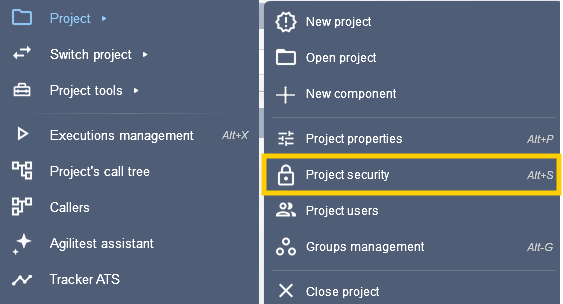
To access the project security panel, click on Project > Project security
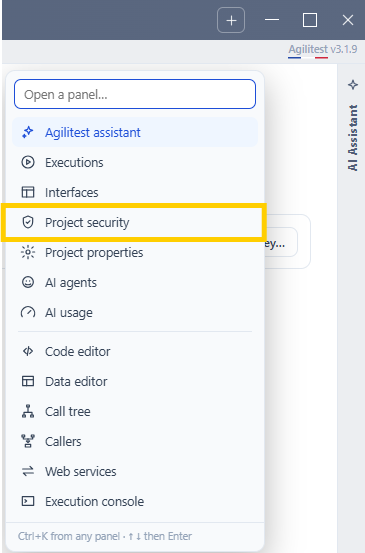
Or directly in the AI Assistant Window.
Project’s passwords
Important things to know about passwords in Agilitest:
- Passwords are not printed in the editor's user interface other than in its edit menu.
- They are not visible in ATS files.
- They are not visible in reports and ATSV files.
- They are not visible in logs generated by Agilitest and ATS.
Passwords are not used everywhere on purpose, for security reasons. It is possible to use them in text input and to enter a password to start an SAP session or API authentication.
You can create and manage passwords, which are reusable in encrypted form in your scripts, with the keyword “$pass”.
Agilitest lets you record variables which are then encrypted in ATS files.
To create a password, click on “Add a password”

Then, enter the name you want to give to your password and its value that will be encrypted next.
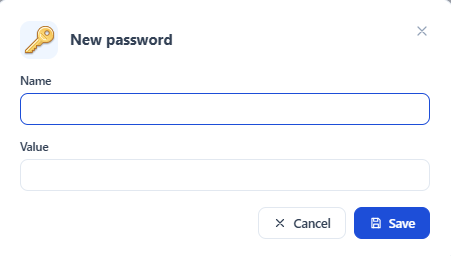
Encrypted variables mean that they do not appear as plain text in the files, or in the test editing interface.
Change the vault key
If you use a password as-is, you're using a default encryption key in ats-core that is visible to project members.
To increase the level of security, you must set the encryption key.
You need to set up an environment key on the ongoing machine, that will be set up automatically in Agilitest.
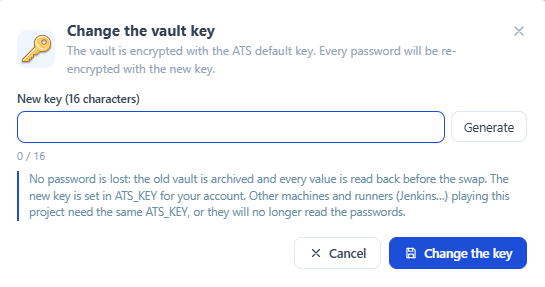
To do that, click on “Change the key…”

The vault is encrypted with the ATS default key. Every password will be re-encrypted with the new key.
Passwords usage
Passwords can also be managed using the shortcut in the special keys when entering text.
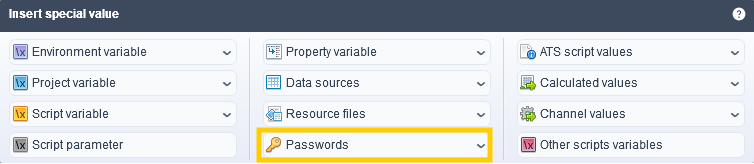
The value can then be retrieved in ATS as a normal variable using the $pass(variable) keyword.
Each variable declared using $pass() variables is treated in the same way.
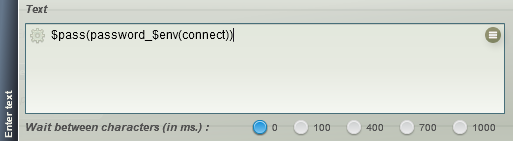
You can use an environment variable as a password recovery key.
From the special values, select the “password” value, then enter an environment variable.
When to use encrypted passwords
We recommend using encrypted passwords when you have no other options.
We do not recommend that you carry out your tests with real user accounts by encrypting passwords. The solution we recommend is to create users dedicated to the tests and with their own privileges, limited if possible.
💡 Tip
If you can’t do otherwise, like when you want to test the admin account, we advise you to do this on environments similar to production, but secured differently (for example, physically on your premises).
If you are carrying out tests on systems in the cloud, you will not be able to do otherwise. In this case we advise you to supplement this mechanism, for example by using secure transfer protocols such as https or by using one-time passwords issued by a secure server.


