

AI Assistant
Agilitest's AI assistant (powered by the open-source ats-core engine) serves as a tool to streamline the creation, maintenance, and troubleshooting of your automated test scripts.
🔸Warning
There are two types of AI used in Agilitest. One is the AI helper/assistant, used in the Agilitest editor whereas the AI on the project is used on test executions.
Agilitest's AI agent is designed to interact with humans in real time using an “AI Interactive Loop” architecture. Artificial intelligence steps in to assist the tester where it provides real added value.
AI helps you explore the application and build reliable step-by-step scenarios without writing any code (no-code).
To configure your AI agent, go to the settings menu.
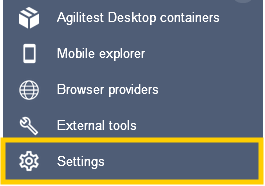
There, you can decide if you allow the help of AI and which AI provider you want to use.

🔸Warning
You can enter the API Key raw but you will receive a notification alert to protect your data. Use a system environment variable to secure
To add an environment variable from your system, enter ${name_of_you_KEY} into the API key.
Using an AI provider in Agilitest requires the use of the tokens included in your subscriptions.
You can find the total number of tokens used in your execution reports.
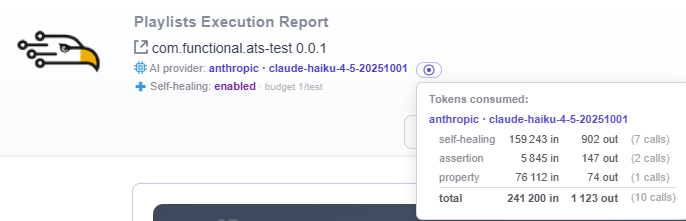
Github Copilot
You can configure a Github Copilot if have a Github account.
Click on the link button to connect your account.
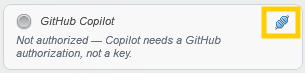
From there, it will open the Github window in which you connect your account.
Then, enter the code provided by Agilitest to link the account to the editor.
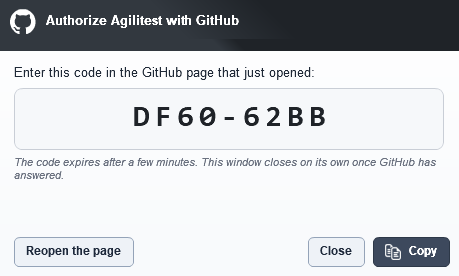
Click on authorize to finally connect your device.

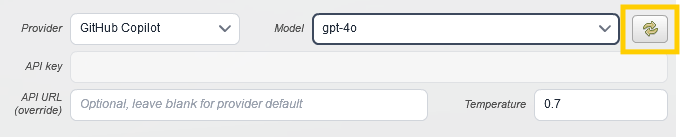
There are several providers in Copilot, if you retrieve all Copilot models, Agilitest will list them all.
Some models may not be accessible with your profile depending on your Github account.
Click on the “Refresh” button so the list is refreshed based on the GitHub account.
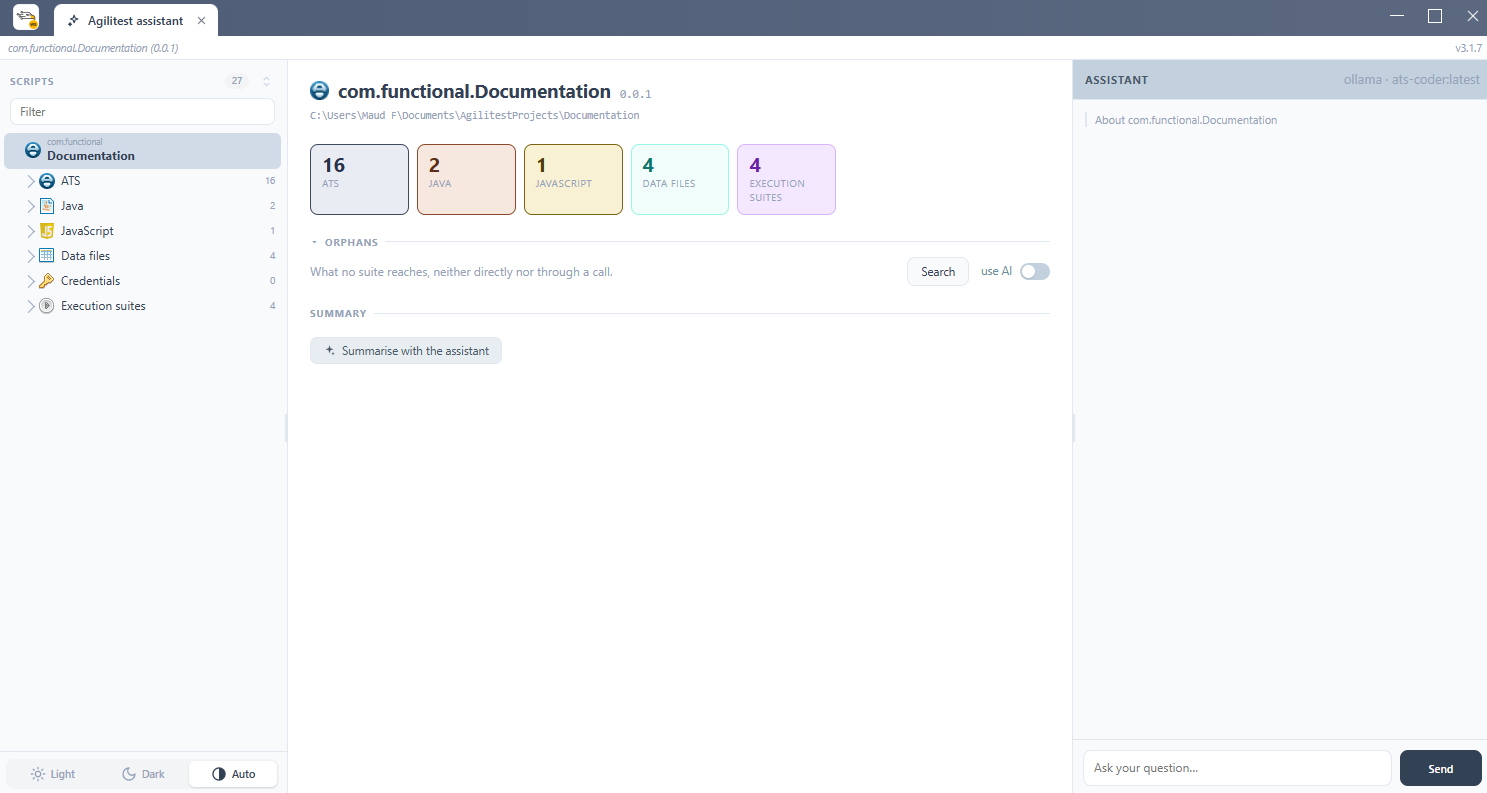
AI Assistant in the editor
The dedicated window appears as an interactive side panel that reads the context of your open test and a general dashboard of your executions with graphics.
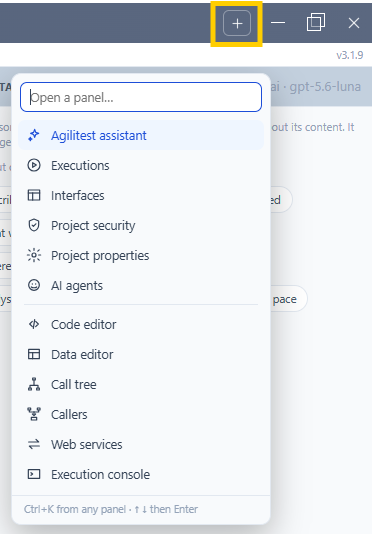
Use the “Plus” button to open the list of panels.
Test creation
Use the AI assistant to help you create your tests from scratch or with a descriptive document.
In the chat, describe the desired scenario, and the Assistant generates the corresponding ATS action blocks (clicks, keystrokes, assertions).
Example:
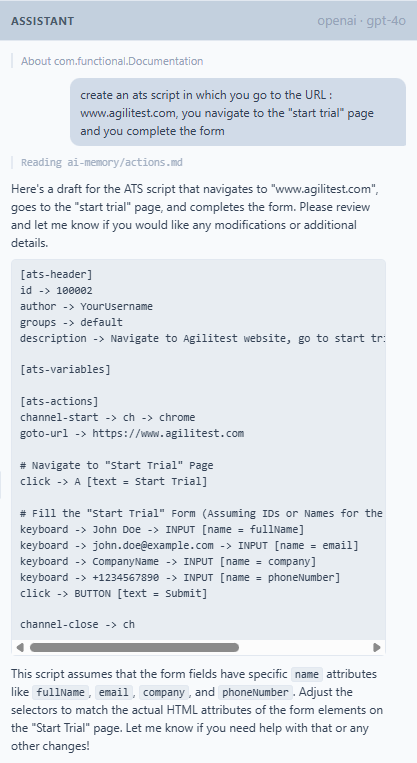
You can also drag and drop an external file with a script description into the AI assistant chat.
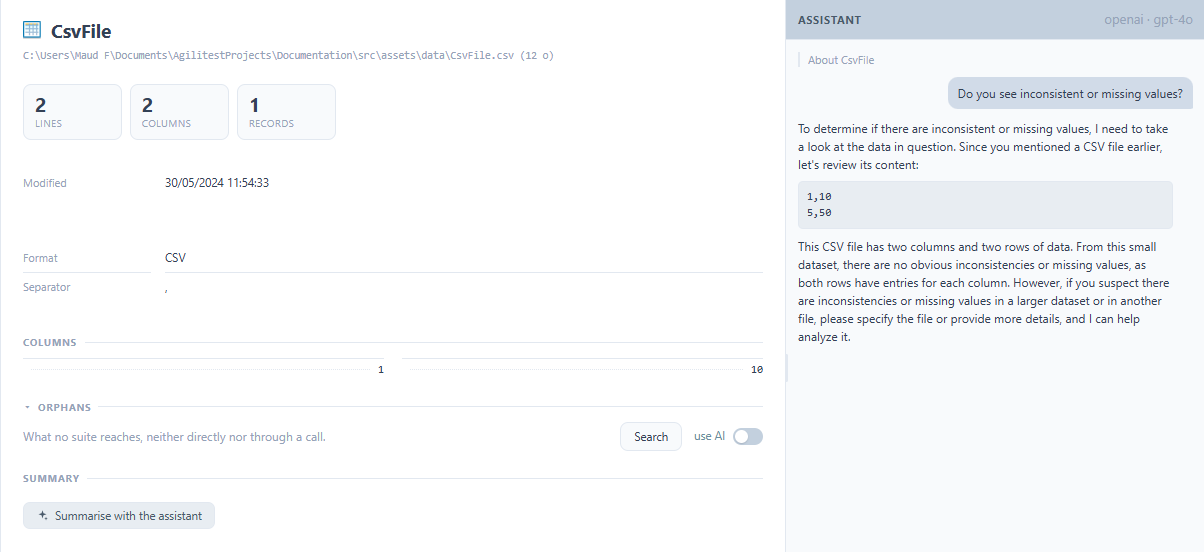
You can also generate realistic test data (addresses, usernames, file formats) on demand to populate your test variables.
Executions
The executions panel shows suites, launchers and environments in three columns.The execution window displays what you execute and where you execute it.
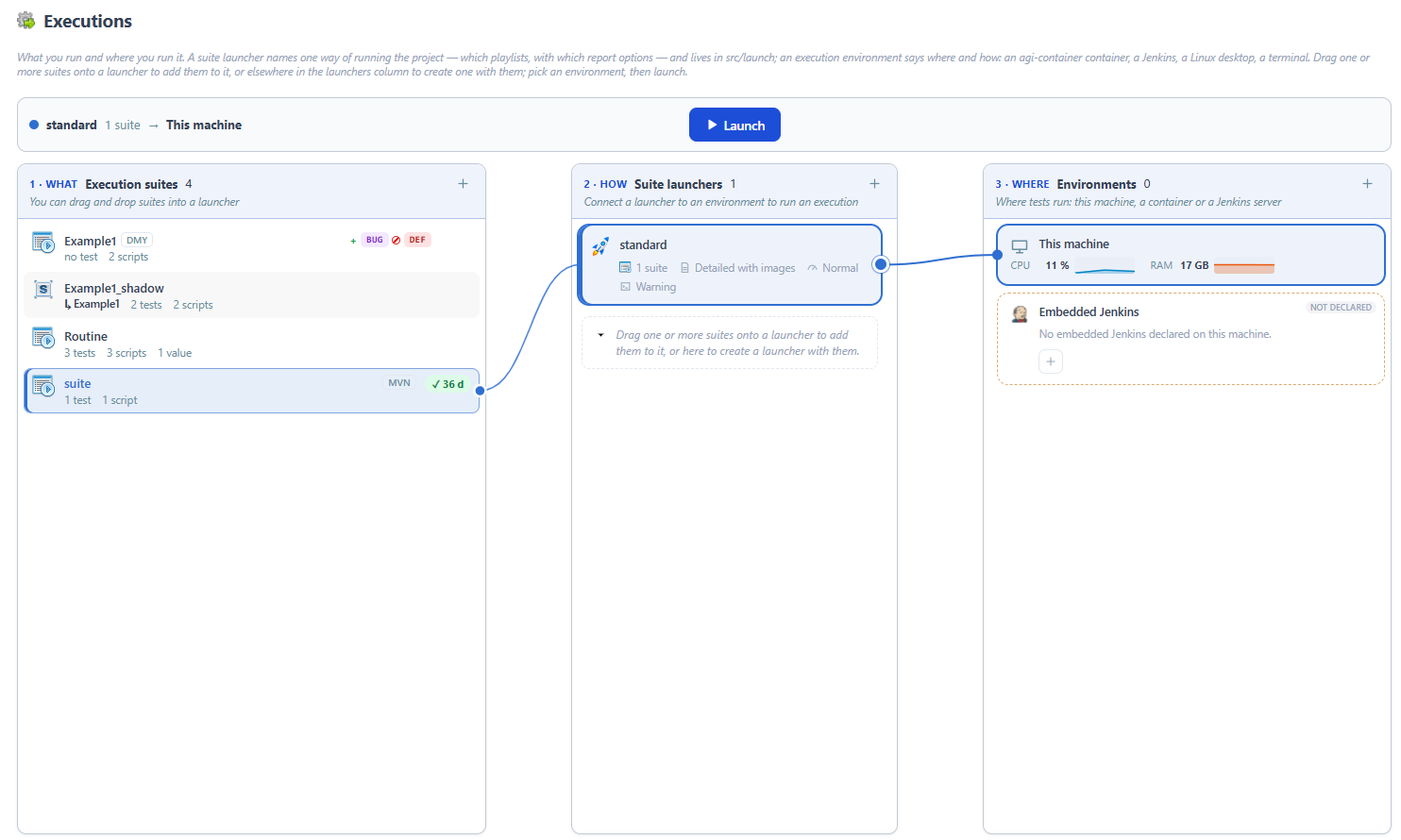
A suite launcher names one way of running the project: which playlists, with which report options.
An execution environment says where and how: an agi-container container, a Jenkins, a Linux desktop, a terminal.
You drag one or more suites onto a launcher to add them, link a launcher to environments with wires, and "Run" starts on the free environments.
Each environment has its console tab, with the request map, the machine load and a timestamp on every line. Windows terminals open in an agi-container container, with adjustable memory and processors.
Interfaces
With the interfaces tab, you can create your own pages in your project: a dashboard, a launch form, a team tool…
The built-in interfaces open in a tab like other panels and can read the project's scripts, suites and runs.
Three starter widgets (Git activity, execution duration, QA weather) are created in projects that do not have any yet.
Widgets on the project page are arranged by grabbing them by their bar, follow the light or dark theme switch, and each interface carries an identifier, its author and the address of the marketplace it comes from.
To create an interface or a widget, click on “Create”

Give it a name and description and click on it to develop your page
Click on the “Develop with the assistant” button to open the conversation with the assistant.
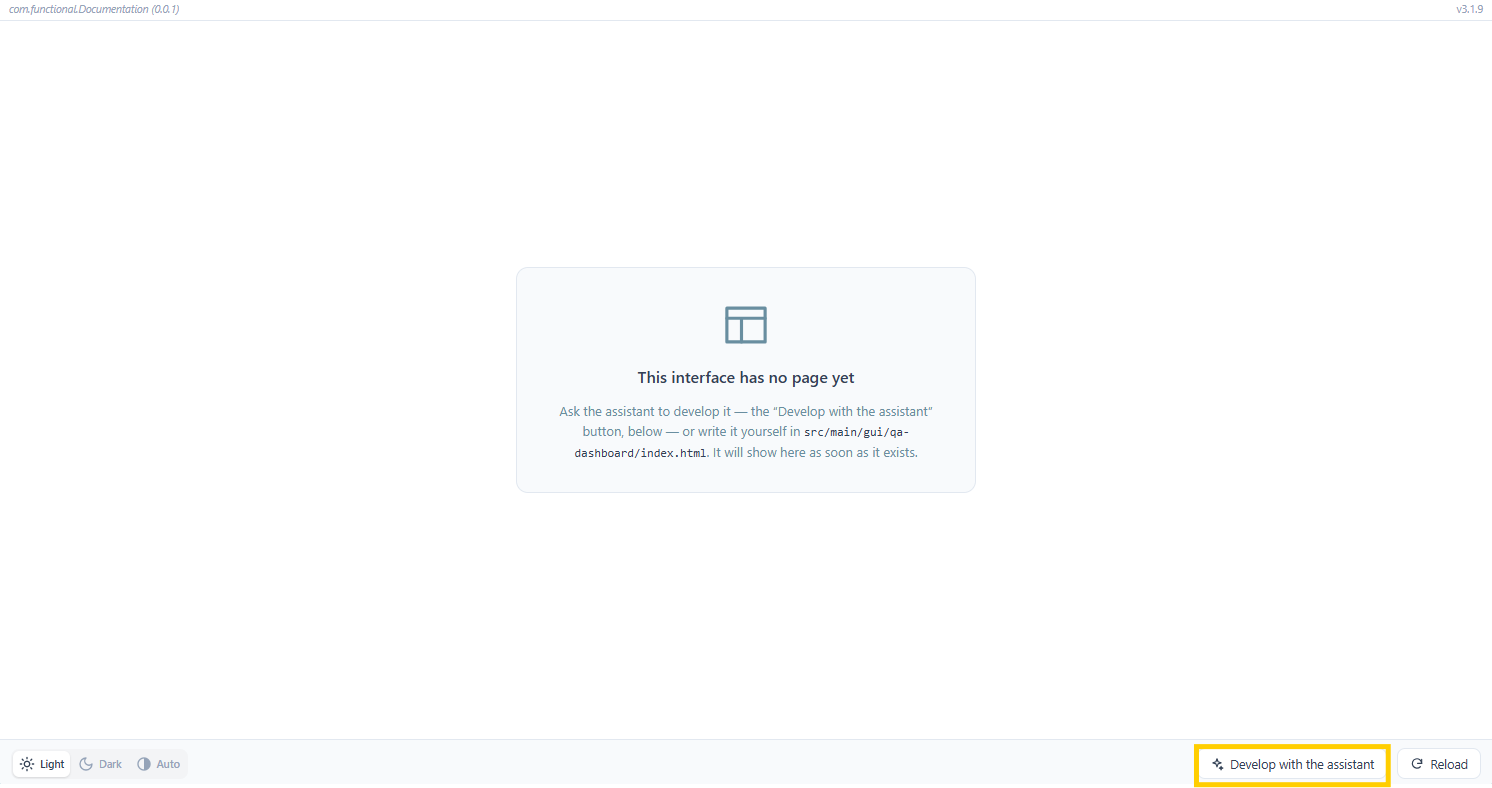
The page reloads on every change.The assistant sees the page it is building (JavaScript errors, failed requests, element positions and styles) and can therefore fix what is wrong.
An interface can be exported as a .atsgui archive and imported on another machine, after its content has been checked.
Project Security
The Project Security window gather the access keys you have configured in Agilitest.
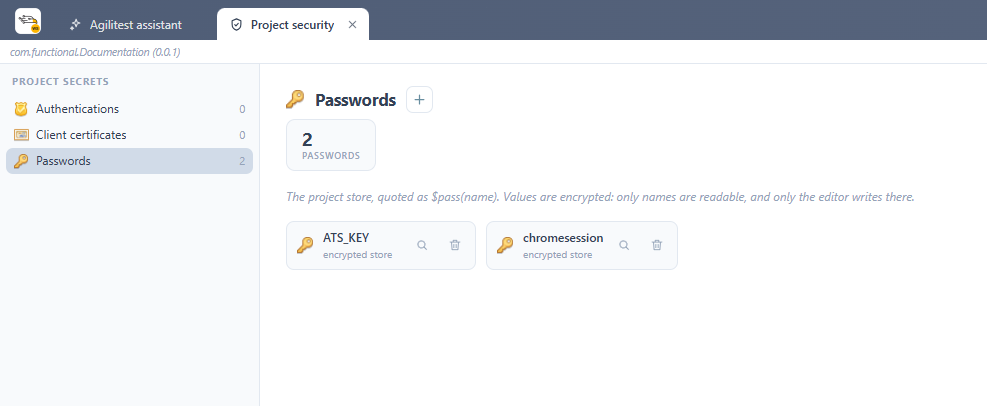
- Authentications
- Client certificates
- Passwords
Project properties
Project properties are used to manage and configure a project, whose parameters will be applied to all the scripts in the same project. Each project has its own parameters.
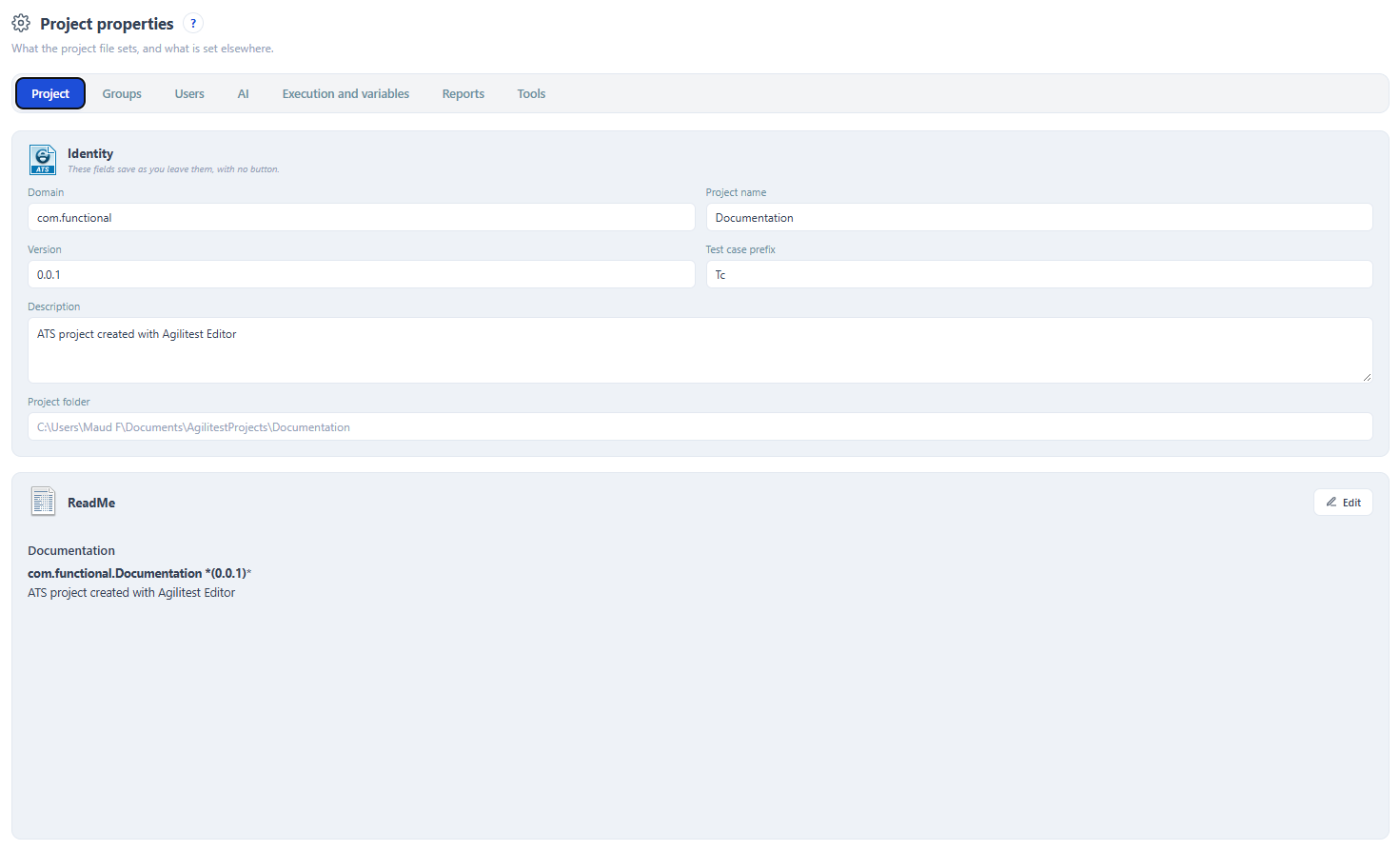
- Project
- Groups
- Users
- AI
- Execution and variables
- Reports
- Tools
AI Usage
This panel displays all the tokens the editor and its panels requested from AIs on this computer. The "AI Consumption" panel sums it up since a date, per provider and per model, with a price calculator.
This condense all projects usage
Code editor
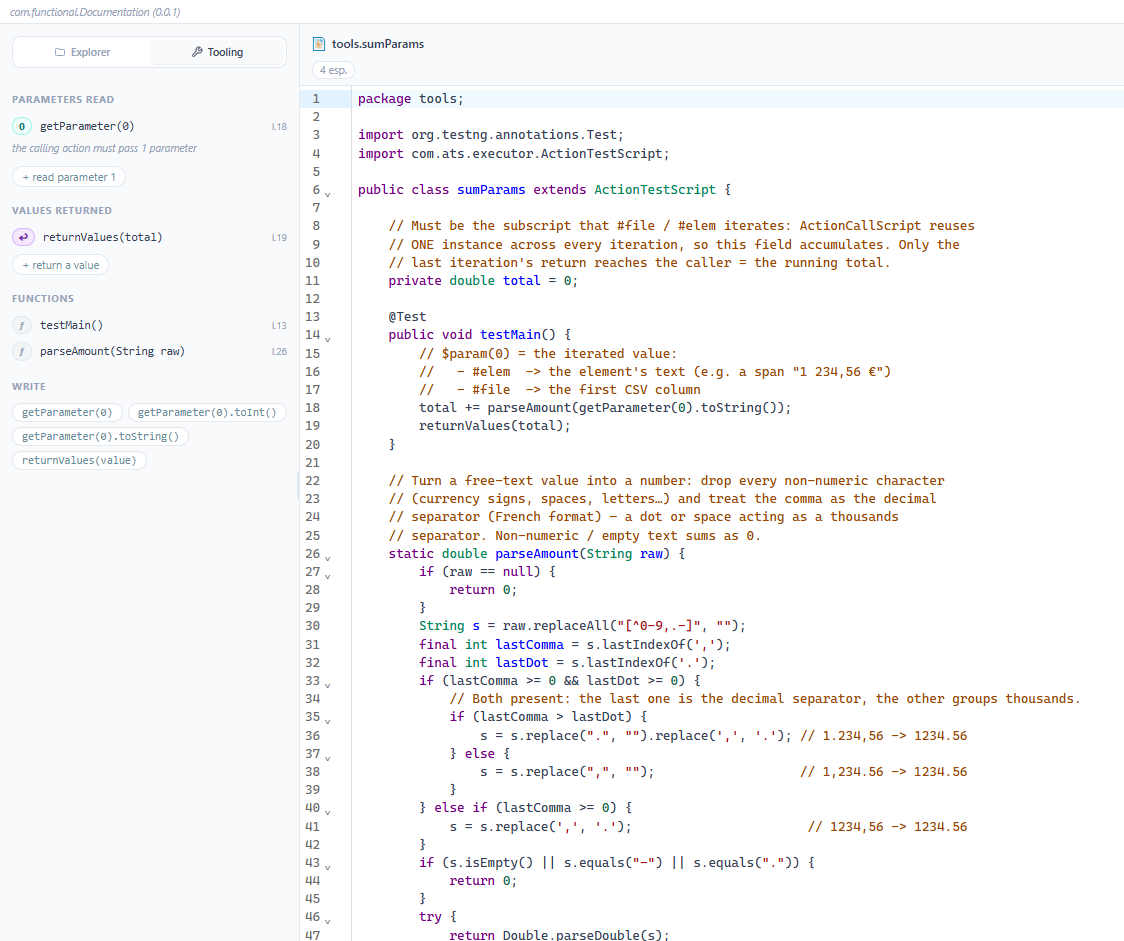
Select a subscript from the subscript list displayed to configure the code
Data editor
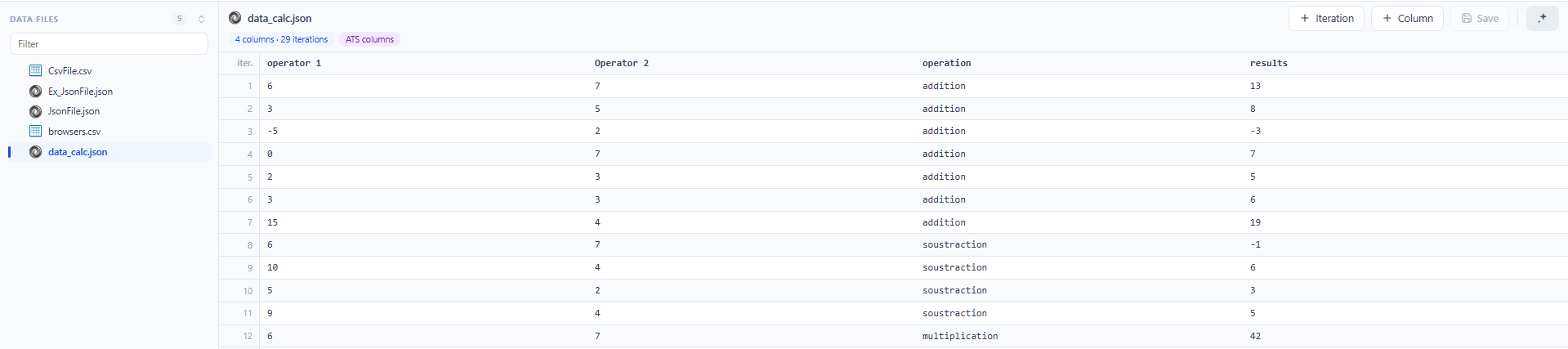
Select a data file from the list and modify your scripts.
Use the AI assistant to help you create your tests, modify them or you can also add a descriptive document.
Call tree
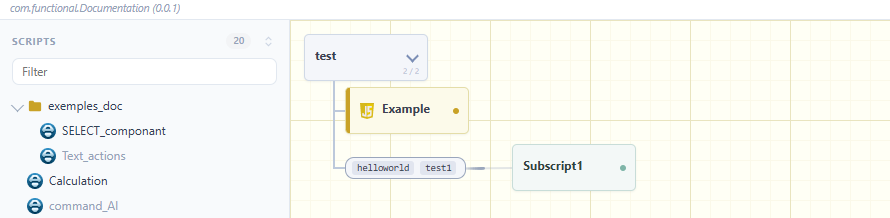
Select a script from a list to display all the scripts it calls during its execution.
Callers
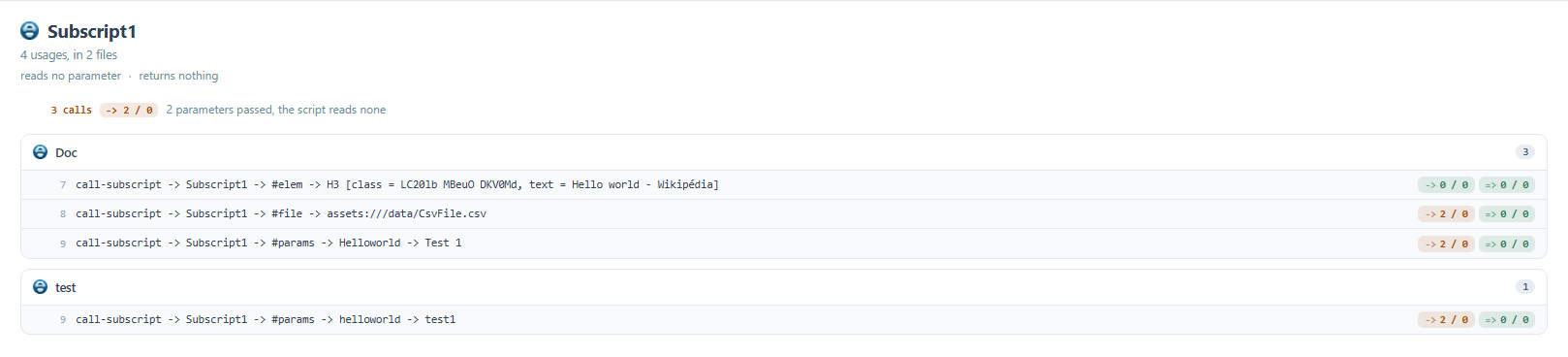
Select a script from the list to display all the scripts in which your selected script appears.
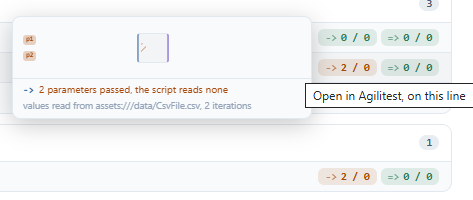
At the end of each call is a if the parameter is passed or not, with an animation corresponding to the way the parameter is expected to return.
Webservices
From the webservices window you can set up a webservice.
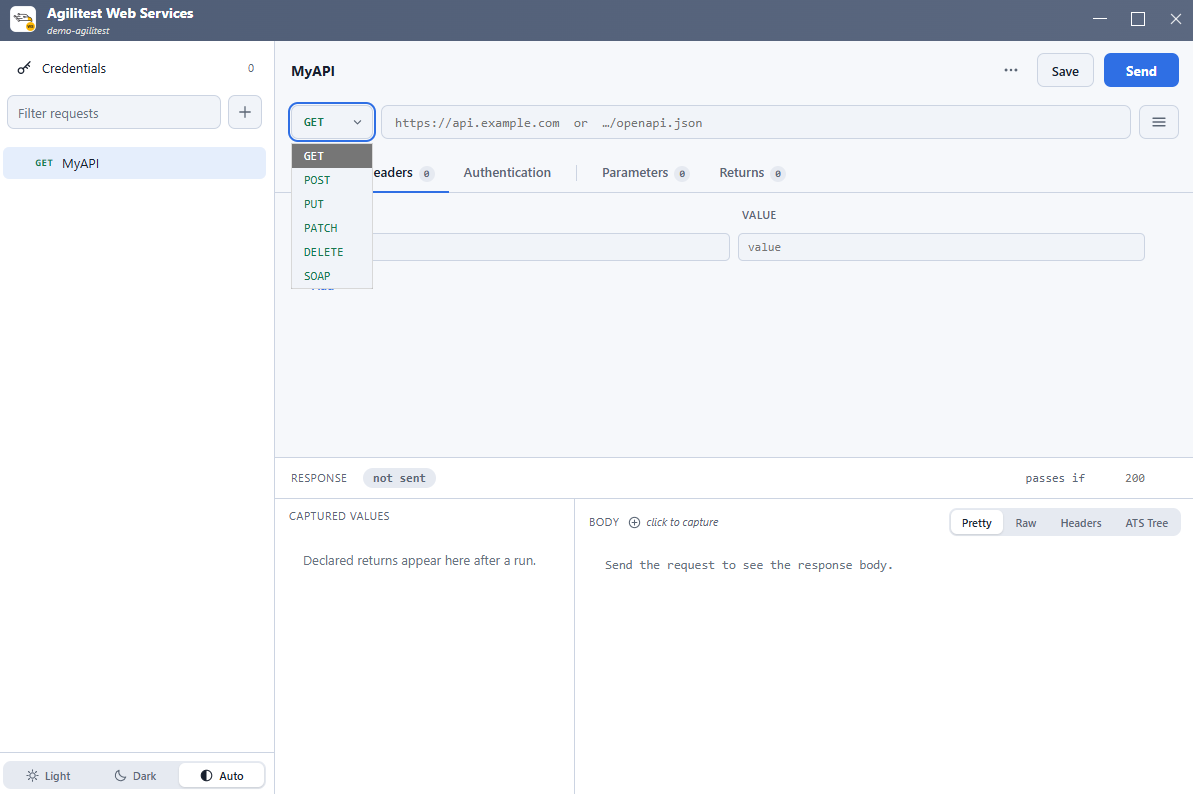
Select the request type (GET, POST, PUT, PATCH, DELETE).
You can define the headers (HTTP headers) and the request body (Body or Payload) by inserting variables as needed.


